

Drop your PDF.
From any carrier — bpost, PostNL, DPD, GLS, Shopify, Etsy, Vinted.
Shipping label software for Mac, iPhone & iPad
No screenshots, no fiddling in Preview. Drop a PDF, the label is detected and cropped for you, hit print. Ready in seconds — on most printers you already own.
Made for
From any carrier — bpost, PostNL, DPD, GLS, Shopify, Etsy, Vinted.
The label area is found for you. Tweak the crop only when you need to.
Thermal, inkjet, laser, A4 or custom sizes. On iPhone and iPad, use AirPrint or export a PDF to your printer's app.
What the app does
Drop a stack of labels and send the entire queue to the printer at once. 5 labels or 500, it's a single click. The fastest way to clear a day of orders.
PDFs and images. Multi-page PDFs are split into individual labels automatically.
Automatic detection of the label area, with a manual crop overlay for the edge cases.
Label sizes for 4×6 inch, A6, or fully custom in millimetres or inches.
Arrange several labels on one sheet, any size you print on. Pick your grid, set the margins, Print 2 Ship sizes everything to fit automatically.
Follows your system setting, with a quick toggle right inside the app.
No account, no cloud, no tracking. Every file is processed locally on your device. Internet is only needed to buy or restore Unlimited through Apple's App Store.
Handles large batches smoothly without choking your device.
No printer nearby? Export your cropped labels as a PDF — print at a copy shop, send to another device, or keep for later.
How it works
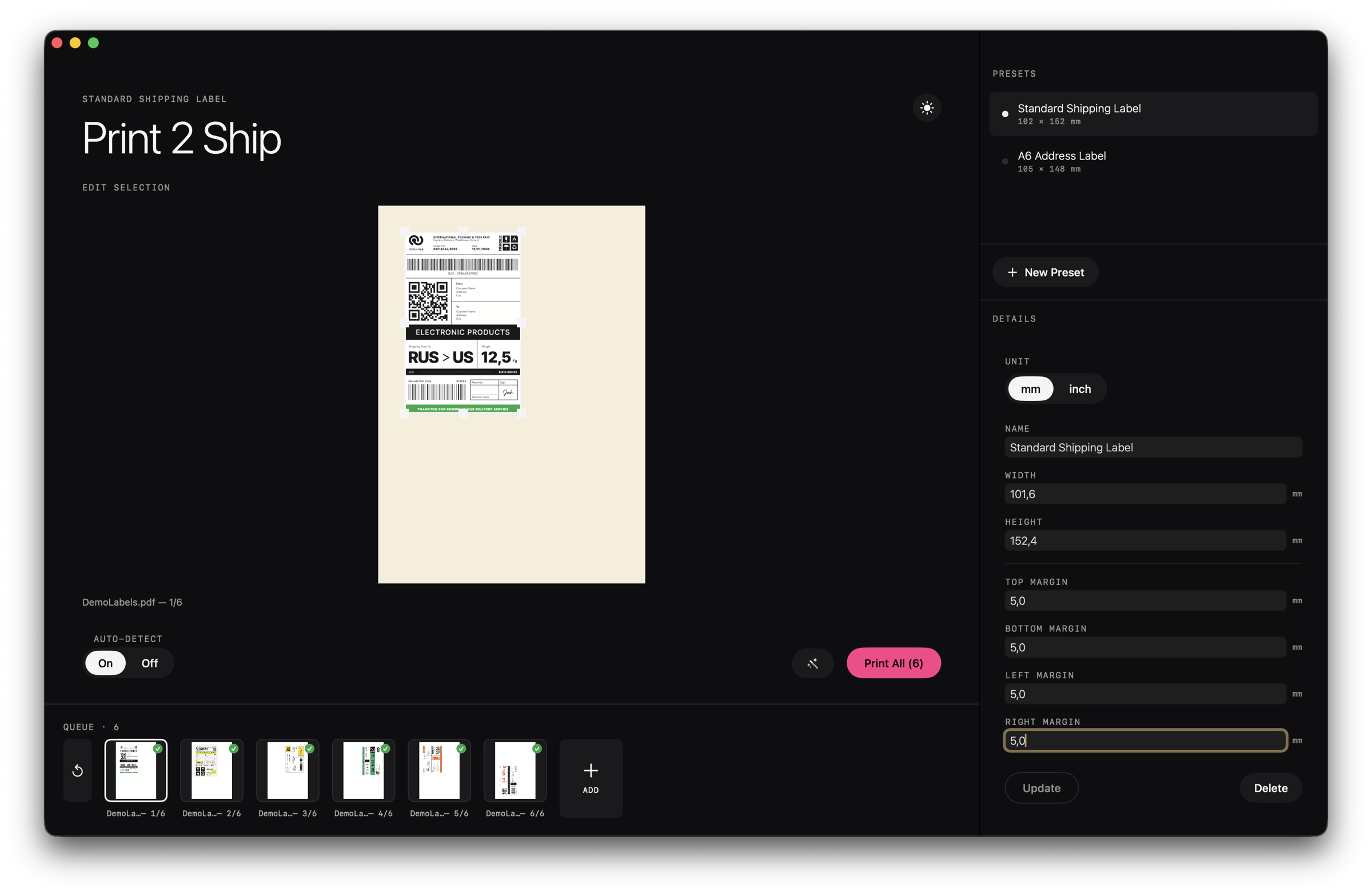
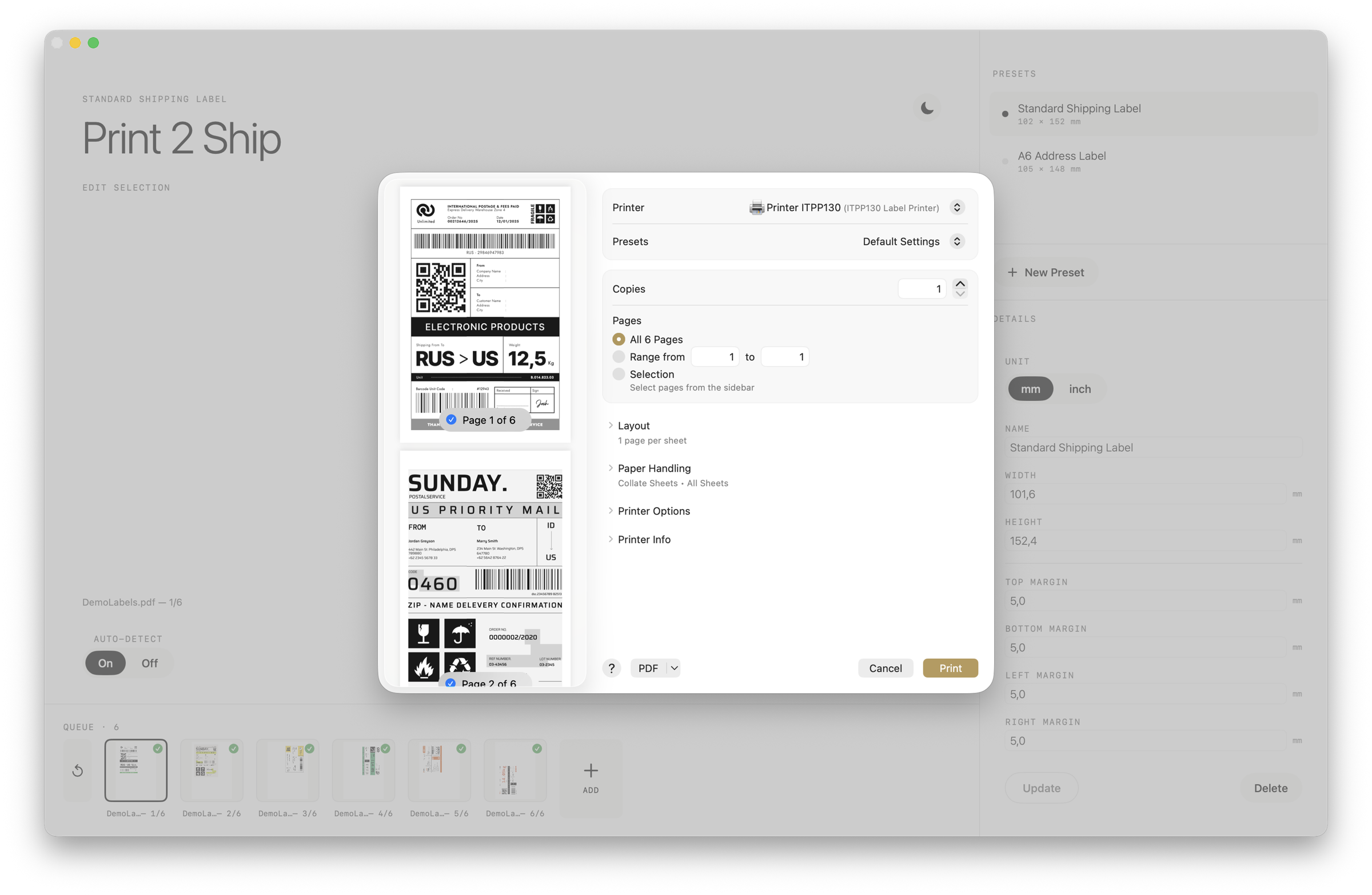
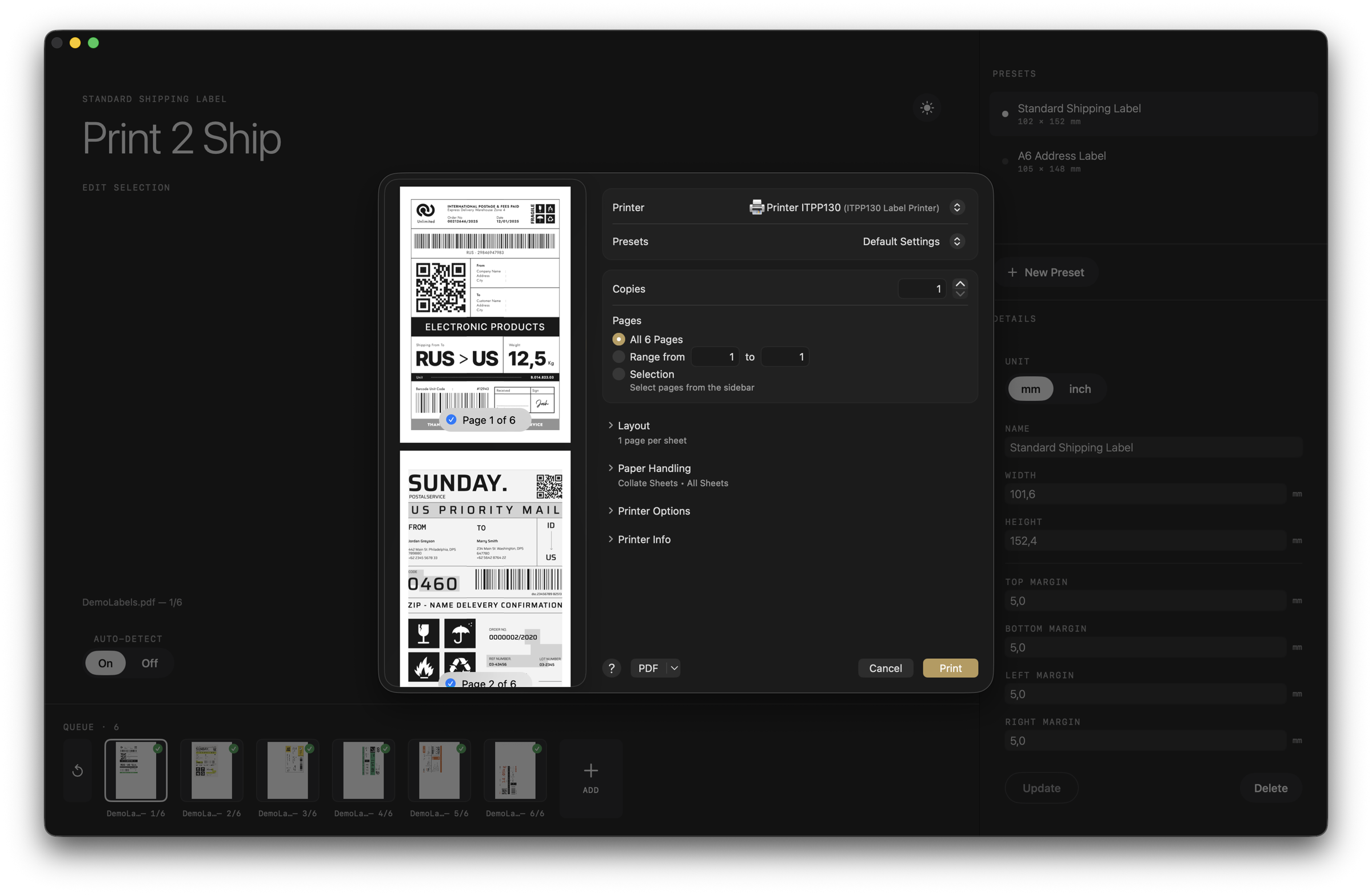
Step 1
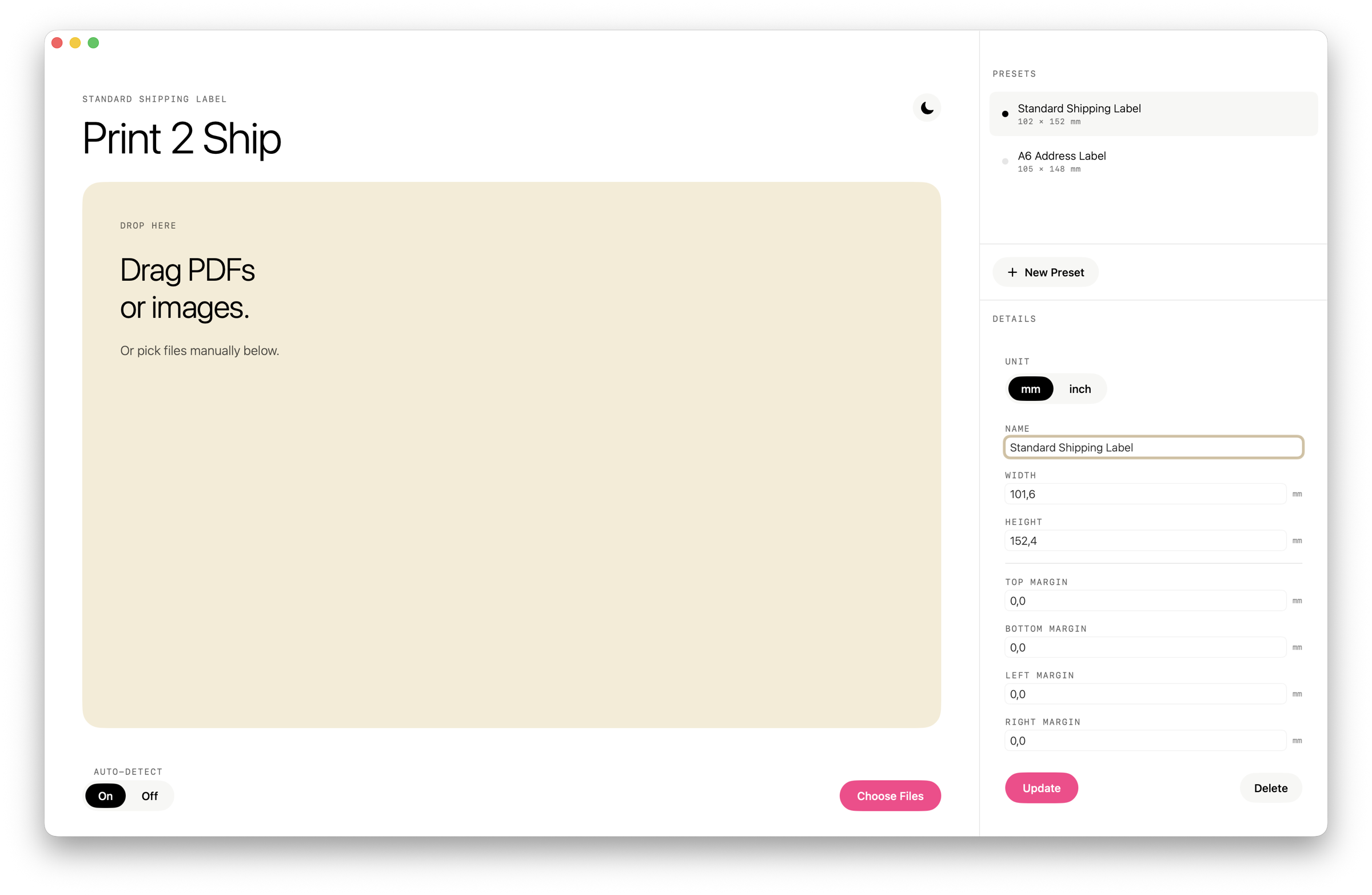
Drop a shipping-label PDF (or several) into the window. Multi-page PDFs are split into individual labels right away.
Step 2
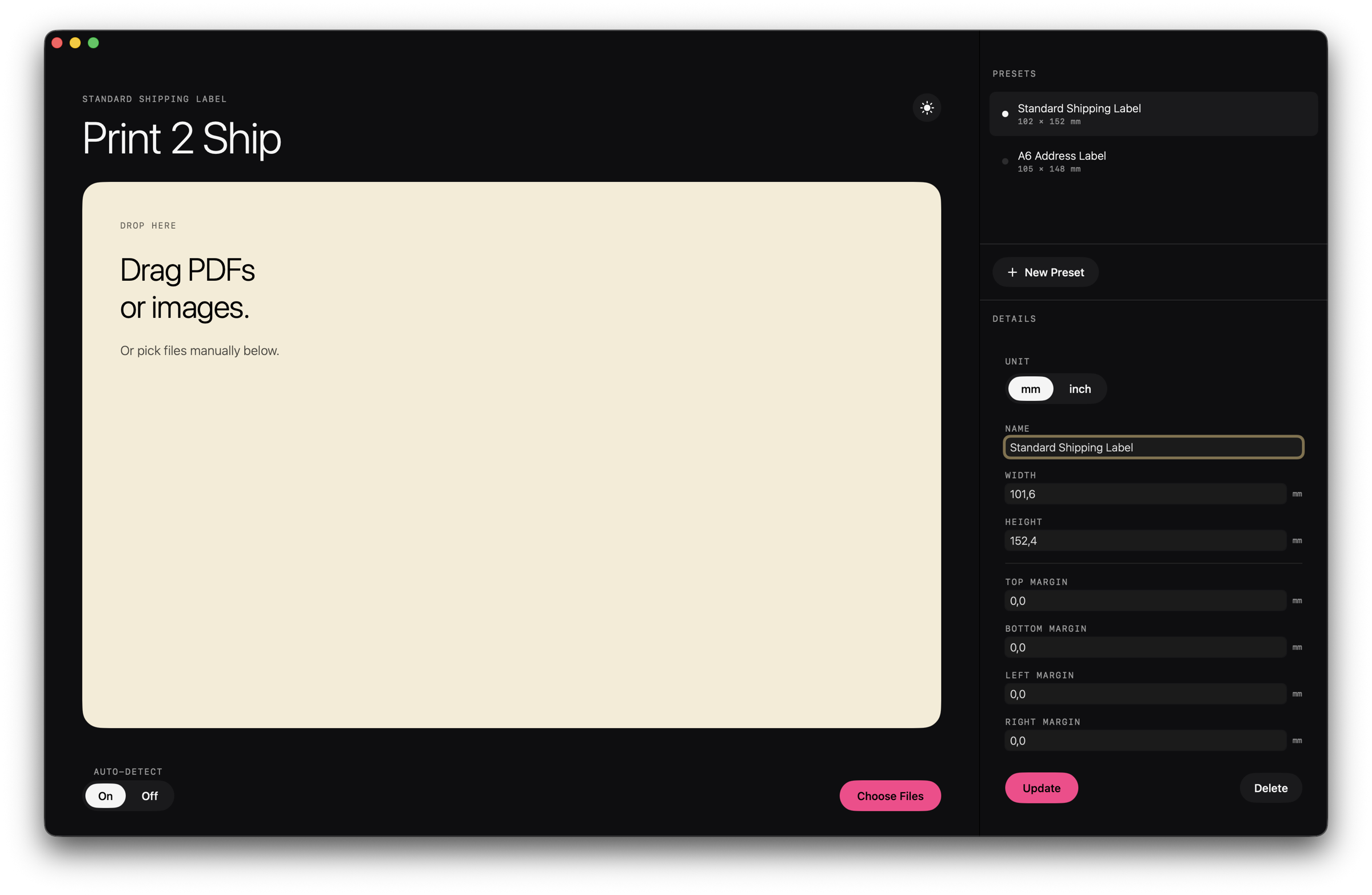
Auto-detect locates the label area. For unusual layouts you drag the frame, or re-run detection on the selected page.
Step 3
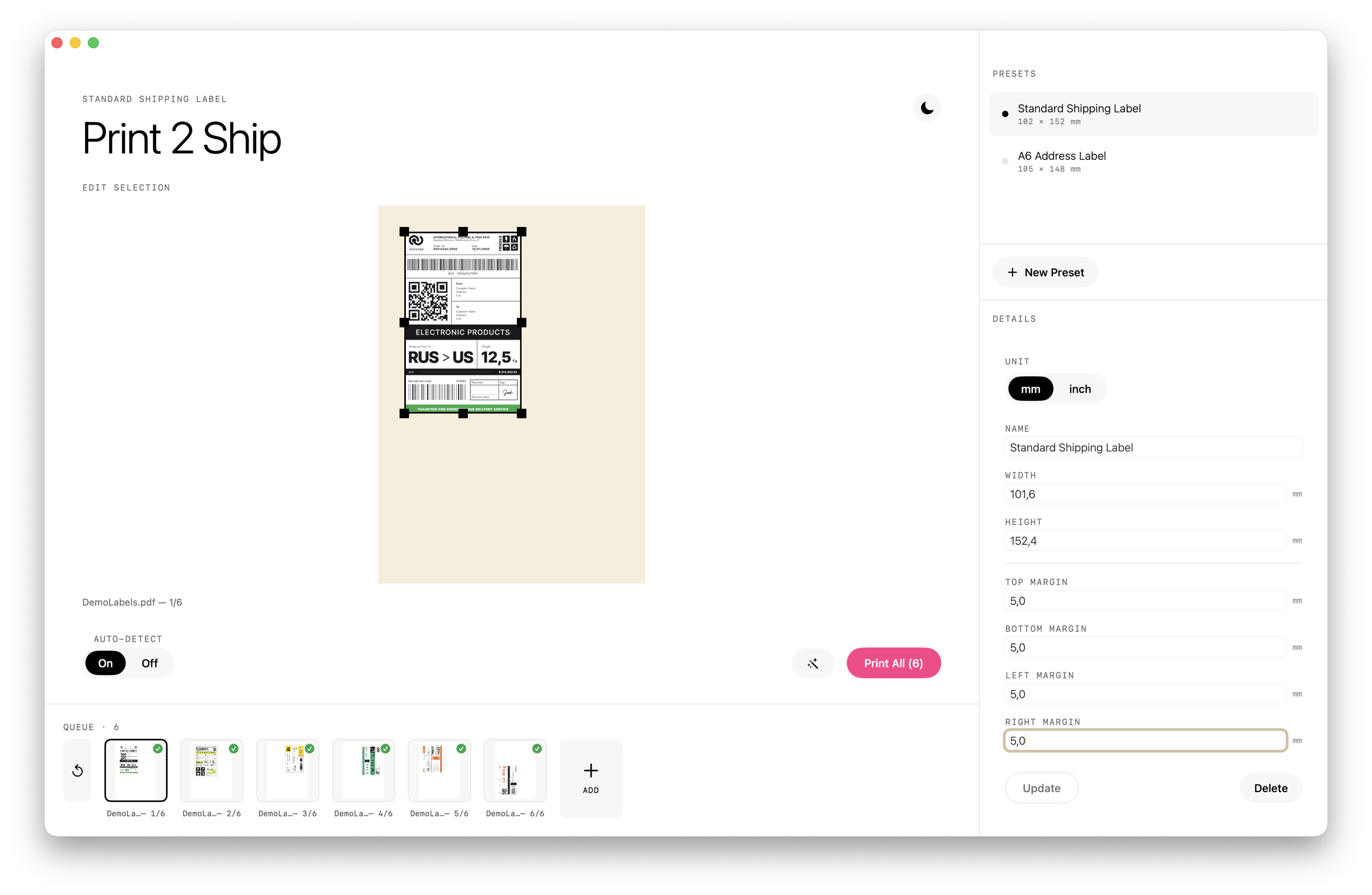
One click → the system print dialog → done. On iPhone and iPad, use AirPrint or export a PDF to your printer's app.
One app, every device
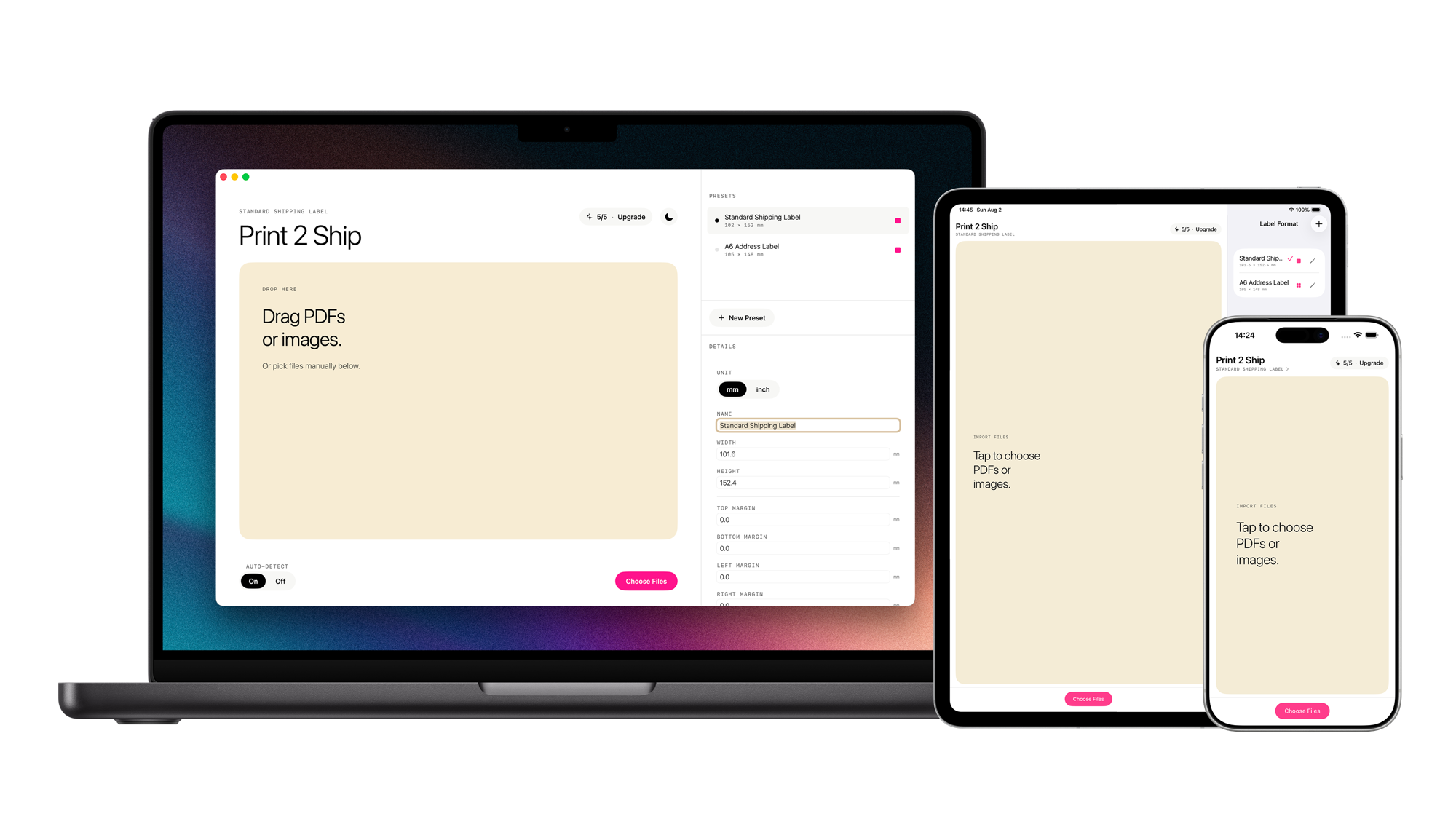
Universal Purchase: buy Unlimited once, use it on your Mac, iPhone and iPad. AirPrint support built in — no cables, no syncing.
Pricing
Free
€0
5 labels per day. No account needed.
Lifetime
Unlimited
€7.99
One-time. No subscription.